

The Agent Registry builds a topology of your AI system automatically from your traces. Every agent that has run at least one trace appears here with the tools it called, the models it used, and any sub-agents it delegated to.Documentation Index
Fetch the complete documentation index at: https://docs.lumiqtrace.com/llms.txt
Use this file to discover all available pages before exploring further.
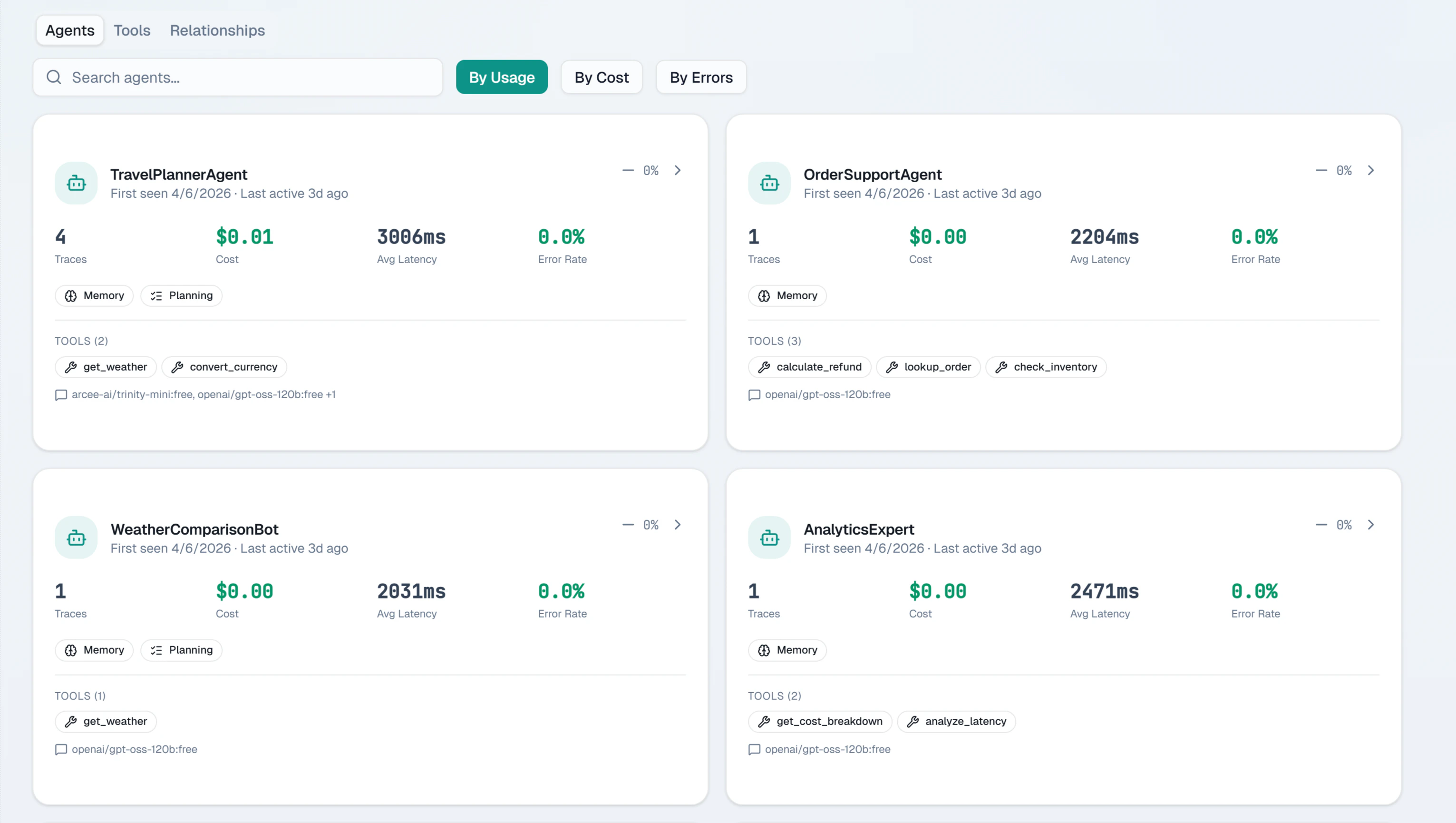
What the registry shows
Each agent entry shows:| Field | Details |
|---|---|
| Agent name | The identifier set in withAgent() or wrapADKAgent() |
| Last seen | Timestamp of the most recent trace for this agent |
| Total traces | Count of all recorded runs |
| Tools used | List of tool names called by this agent |
| Models | All model identifiers this agent has used |
| Sub-agents | Agents this agent has delegated to |
Agent topology
The topology view renders agents as nodes connected by delegation edges. An edge from Agent A to Agent B means A called B as a sub-agent in at least one trace. Edge thickness scales with delegation frequency. Use the topology to identify:- Coordinator agents that delegate to many specialists
- Agents with unexpectedly high tool diversity (potential scope creep)
- Isolated agents with no connections (standalone tools)
Tool usage
Each agent’s tool panel lists every tool the agent called, with call counts and failure rates. A tool with a failure rate above 10% is highlighted in the reliability column.Filtering
Filter agents by:- Last active — see which agents are actively running vs dormant
- Model — find all agents using a specific model
- Environment — separate production from staging agents
Registering agents in code
Agents appear in the registry automatically when you use the SDK’s agent context:wrapADKAgent() or instrumentADK() — see Google ADK integration.